Plan your first route
LodiPlanner orders stops into driving routes. Start with the sample to see how it works before entering your own addresses.
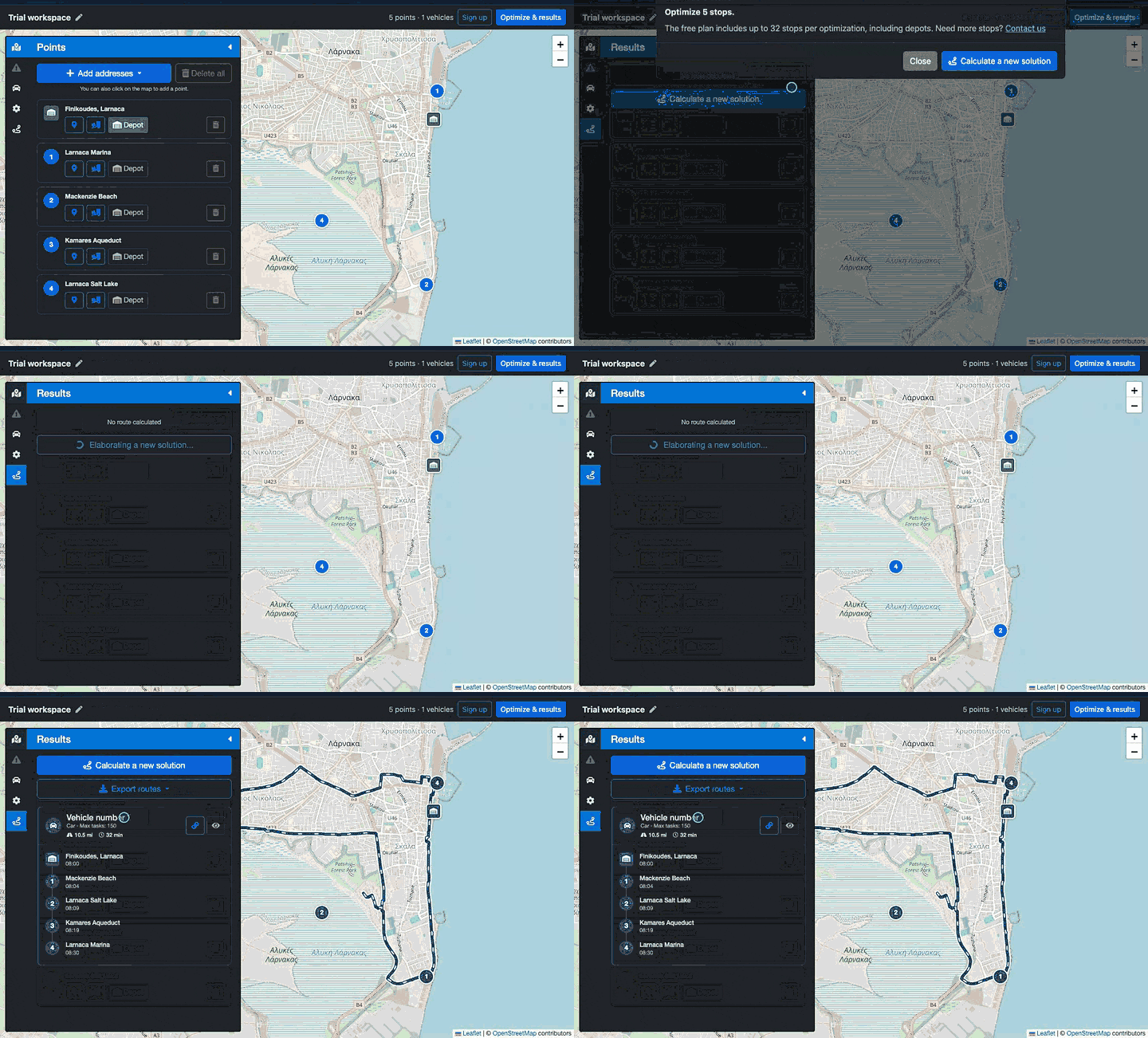
- Open Try the planner. No account is needed. The sample includes a depot, delivery stops, and a car.
- Select Optimize & results, then Calculate a new solution. Review the stop count and confirm.
- Review the route on the map and the ordered stops, arrival estimates, distance, and duration in the vehicle timeline.
- Replace the sample stops with your own. Check the map pins and calculate again after changing stops, vehicles, or constraints.
Watch the Larnaca quickstart demo (English)
Calculate a route with the sample stops, then compare the vehicle's stop order and arrival times with the route on the map.
Keep your trial
After you calculate a route or save a change, the trial stays in the same browser for seven days from your last visit. To keep it, select Sign up or sign in from that browser. If you register, confirm your email in the same browser and sign in if asked. Find your trial under Dashboard.
You can export routes and share a driver link as a guest. Sign in to import addresses from a file or create a new workspace.
Stop limits
| Planner | Stops per optimization, including depots |
|---|---|
| Guest trial or free account | 32 |
| Paid account | 128 |
Routing supports standard cars only. Seeing a location on the map does not mean the routing service covers it or can reach it by road.
Next steps
- Create a workspace for a new route.
- Add a stop or paste a list of addresses.
- Configure your vehicles and review your results.
- Use the driving assistant if someone shared a route with you.