Add multiple addresses
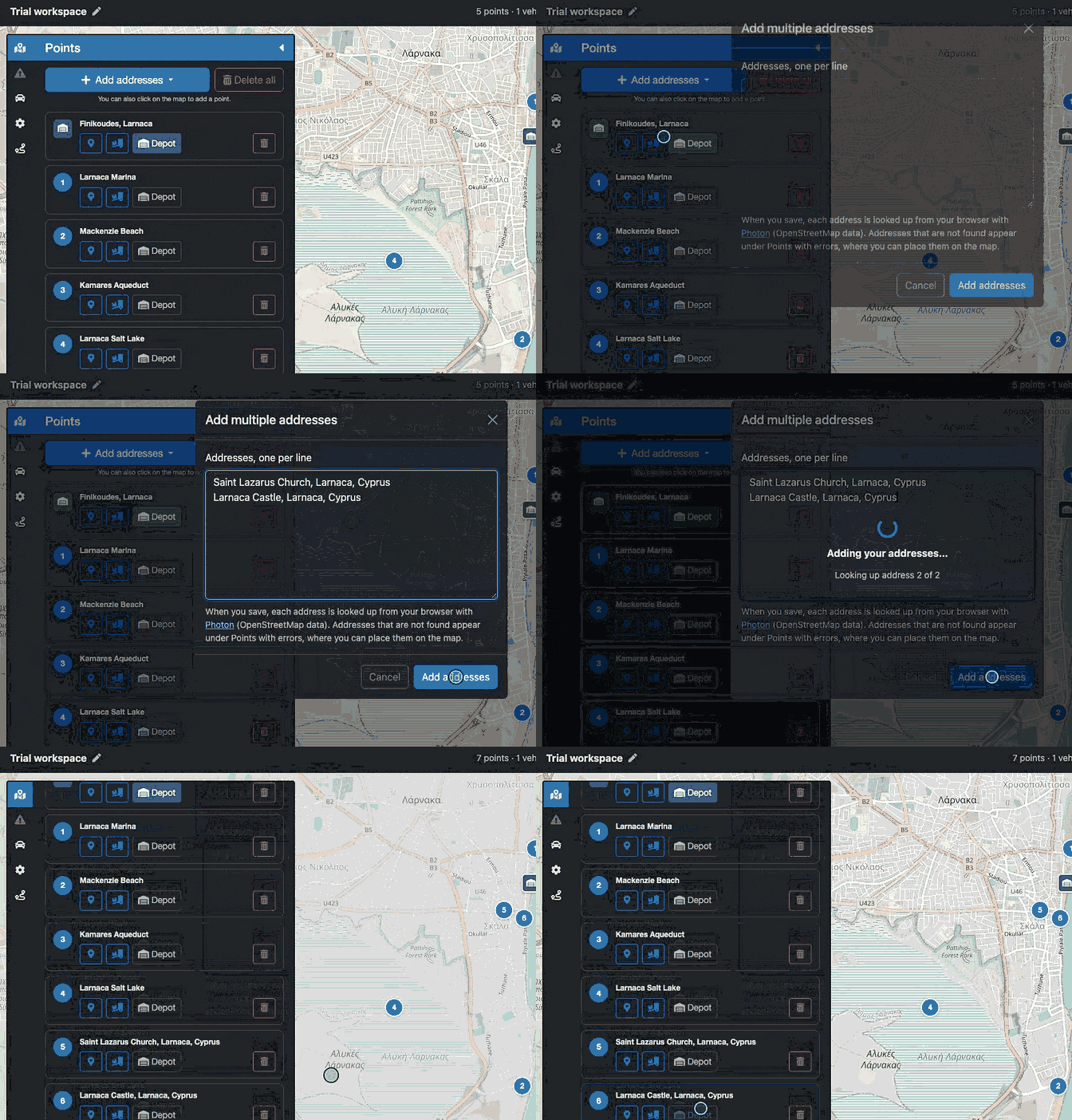
- In Points, open Add addresses and choose Add multiple addresses.
- Paste one complete address per line. Include the city and country to help distinguish similar addresses.
- Select Add addresses to look up the locations.
- Review the map pins. If a location is wrong or appears under Points with errors, use Change position to fix it before you calculate.
Watch how to paste several addresses (English)
Paste two Larnaca addresses on separate lines, add them together, and check that both appear in Points.
If your list is already saved in a file, use Add from a file.