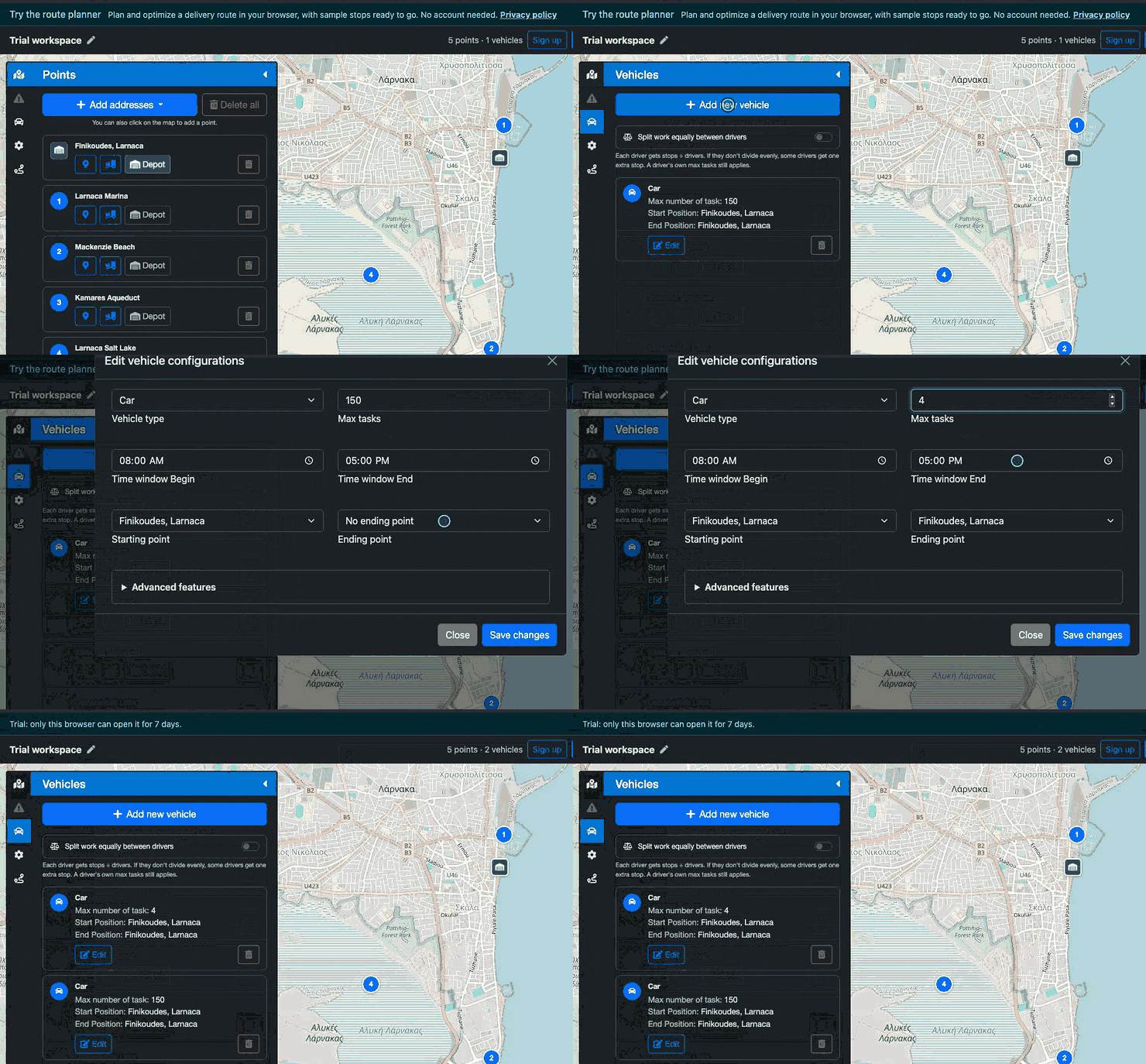
Add a vehicle
- Open Vehicles and select Add new vehicle.
- Keep the Car profile. Choose its starting depot and, if needed, an ending depot.
- Set Max tasks to limit the number of visits. Set Shift start and Shift end here for this vehicle. New vehicles start with 08:00–17:00, which you can edit before saving.
- Save the vehicle. To change it later, use Edit beside that vehicle.
Watch how to add a vehicle (English)
Add a second car, set it to start and finish at the same depot, and limit it to four stops between 08:00 and 16:00.